A Simple Demo of Wechat Clawbot
A Simple Demo of Wechat Clawbot
Introduction
本文主要演示如何利用微信的ClawBot来连接自建本地大模型。其中服务器OS为ubuntu 22.04并用Ollama部署了QWen2.5-coder:32B。
Install Wechat Bot
很简单,一条命令搞定。
1
pip install weixin-bot-sdk
Python Link Script
Wechat Bot安装成功后就可以用下面的script来尝试连接了。
1
2
3
4
5
6
7
8
9
10
11
12
13
14
15
16
17
18
19
20
21
22
23
24
25
26
27
28
29
30
31
32
33
import asyncio
import requests
from weixin_bot import WeixinBot

bot = WeixinBot()

# 1. Register message monitor
@bot.on_message
async def handle_message(msg):
    print(f"收到来自 {msg.user_id} 的消息: {msg.text}")

    # Show “对方正在输入中...”
    await bot.send_typing(msg.user_id)

    # 2. Call the local ollama directly
    ollama_url = "http://localhost:11434/api/generate"
    payload = {
        "model": "qwen2.5-coder:32b",
        "prompt": msg.text,
        "stream": False
    }

    try:
        response = requests.post(ollama_url, json=payload).json()
        reply_text = response.get("response", "不好意思,我走神了。")
    except Exception as e:
        reply_text = f"连接本地大模型失败: {str(e)}"

    # 3. Reply the answer(SDK handle context_token)
    await bot.reply(msg, reply_text)

# 4. Start(show the QR code)
bot.run()
Run上面的脚本后会在shell里显示下面的消息。
1
2
[weixin-bot] 在微信中打开以下链接完成登录:
https://liteapp.weixin.qq.com/q/7GiQu1?qrcode=76f451e2df77c68411d4b9cfdc419459&bot_type=3
这部需要copy这个link到浏览器,用手机微信扫描QR code加为好友,这样就可以开始聊天了。效果如下:
服务器端(此处隐去该bot的真实ID):
1
2
3
4
5
6
[weixin-bot] Login confirmed.
[weixin-bot] Logged in as o9cq806vVkKme_QDeyjRtDk6DgP8@im.wechat
[weixin-bot] Long-poll loop started.
收到来自 xxxxxxxxxxxxxxxxxxxxxxxxxxxx@im.wechat 的消息: 你好
收到来自 xxxxxxxxxxxxxxxxxxxxxxxxxxxx@im.wechat 的消息: 请介绍一下你自己
收到来自 xxxxxxxxxxxxxxxxxxxxxxxxxxxx@im.wechat 的消息: 很好,我们建立起了联系,我有问题会继续问你
微信端: 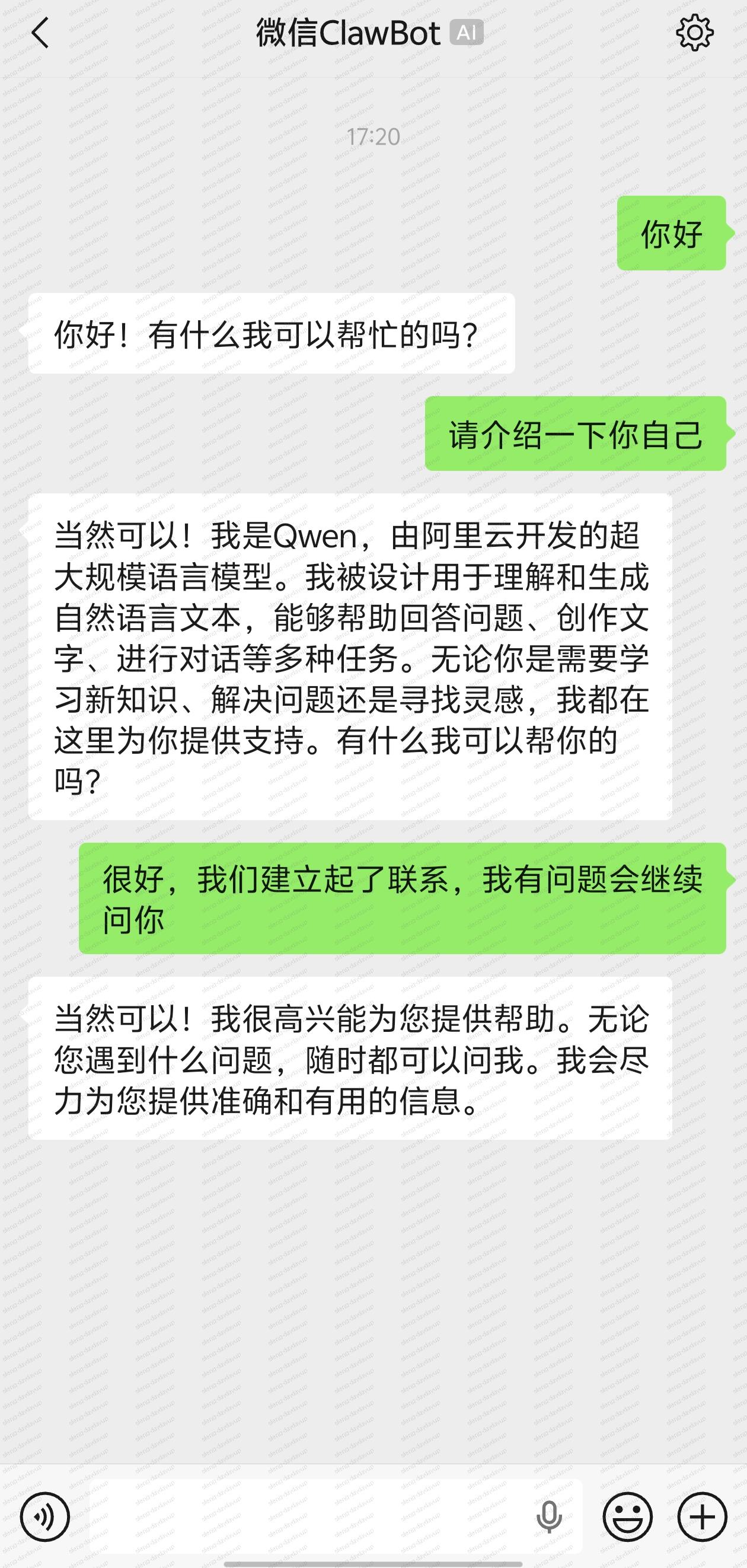
Ending
逐步使用AI来更高效的搞定生活和工作是未来一段时间的目标,这个简单却又不简单的实现也让我感到兴奋。
This post is licensed under CC BY 4.0 by the author.